Your code, front and center
A single focused editing surface with tabs, pinning, find and replace, and a file tree that only loads the folders you open.
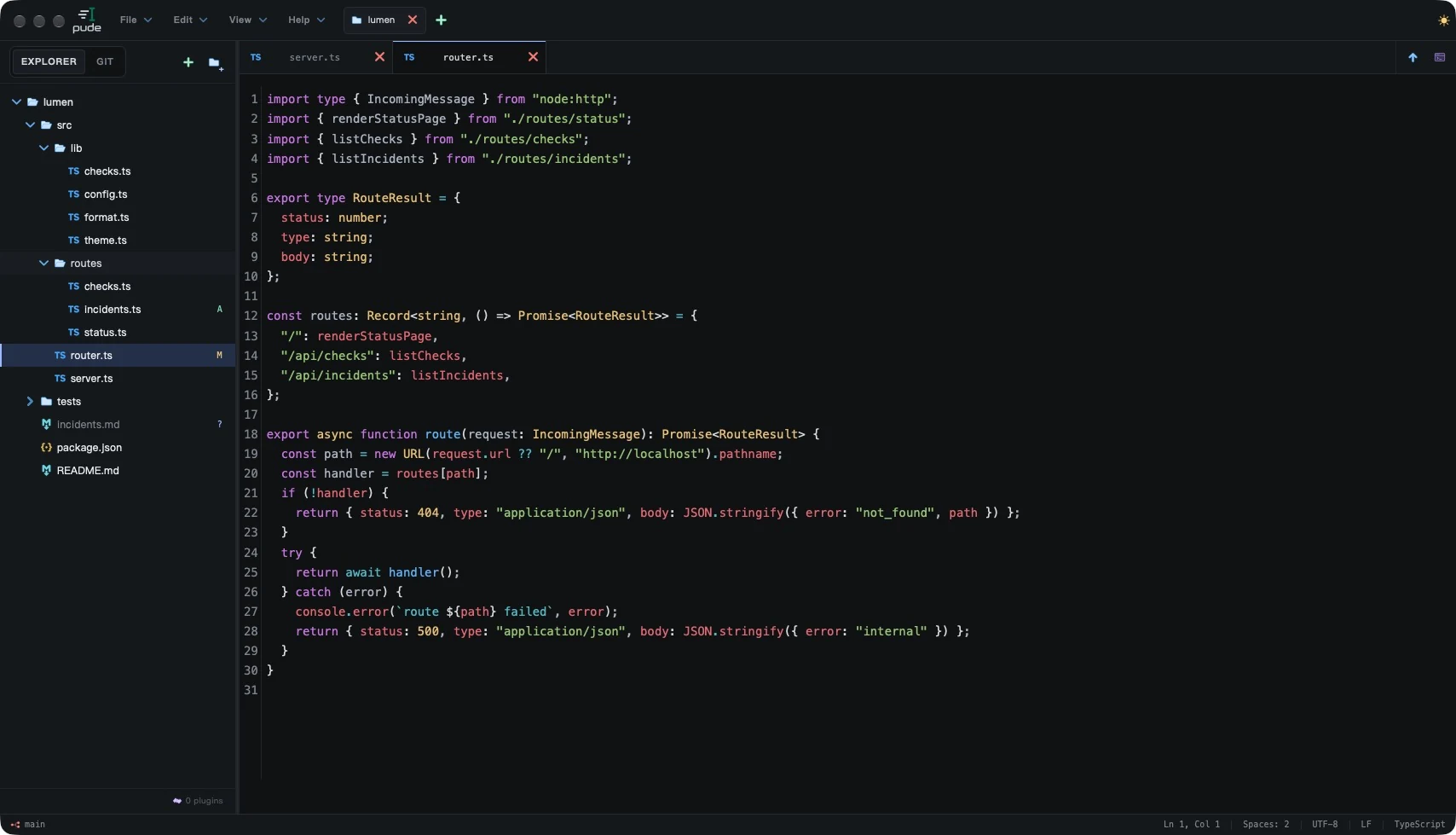
pude is a local-first desktop code editor built on Rust and Tauri. Open a folder, write, review Git, run a terminal — while the rest of your machine stays quiet.
Windows 11 x64 · macOS 14+ Apple Silicon · Linux planned.
Version 0.1.1 · Published release
Only the top level is read. Folders load when you expand them.
Most editors grow into platforms. pude stays an editor. It reads the folder you open, loads what you look at, starts a terminal when you ask — and goes quiet the moment you stop typing.
Captured from the current build. Keep scrolling to move through them.
A single focused editing surface with tabs, pinning, find and replace, and a file tree that only loads the folders you open.
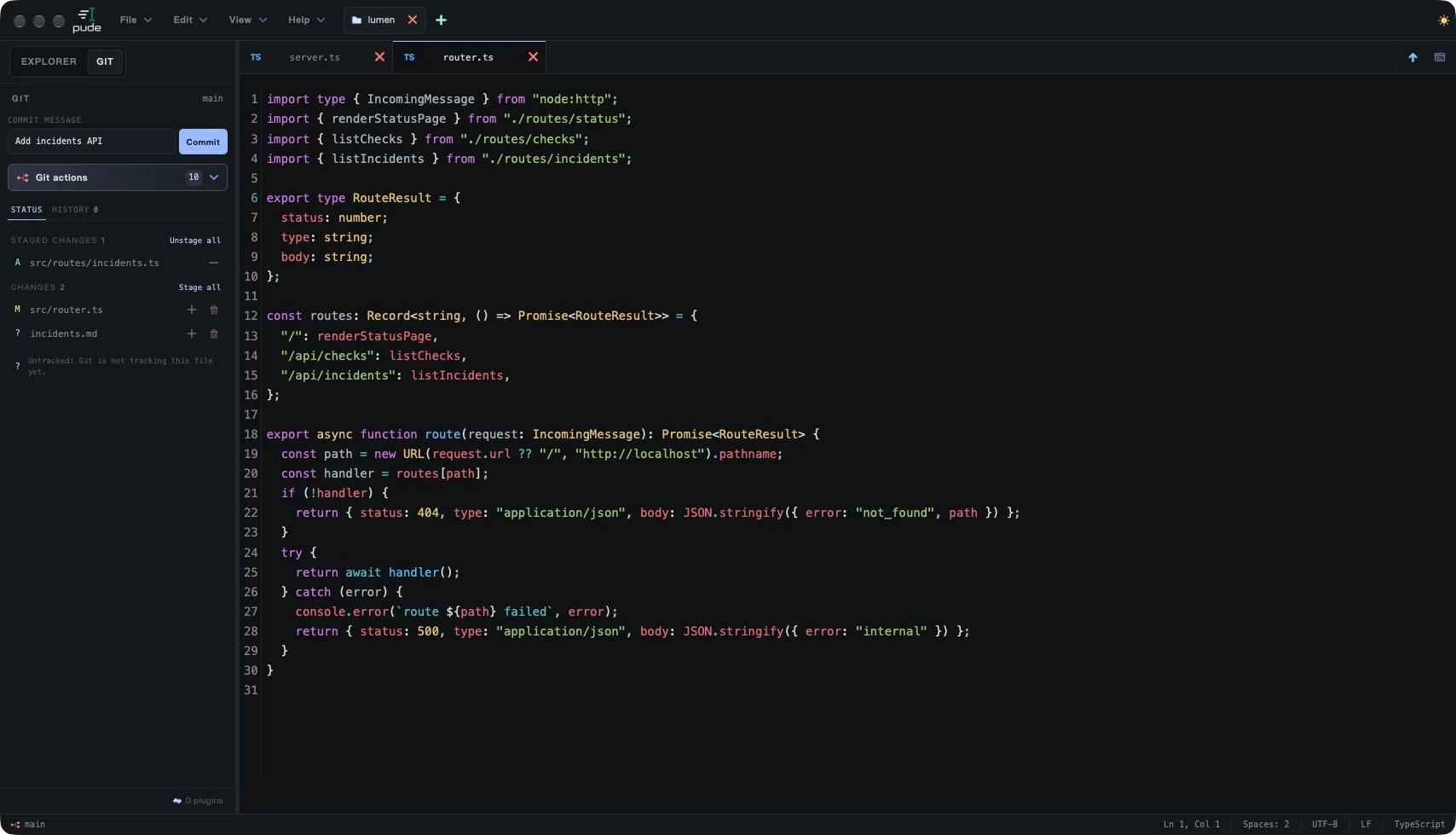
Branch, staged, unstaged, untracked and conflicted files sit next to the Explorer — refreshed by events, never by polling.
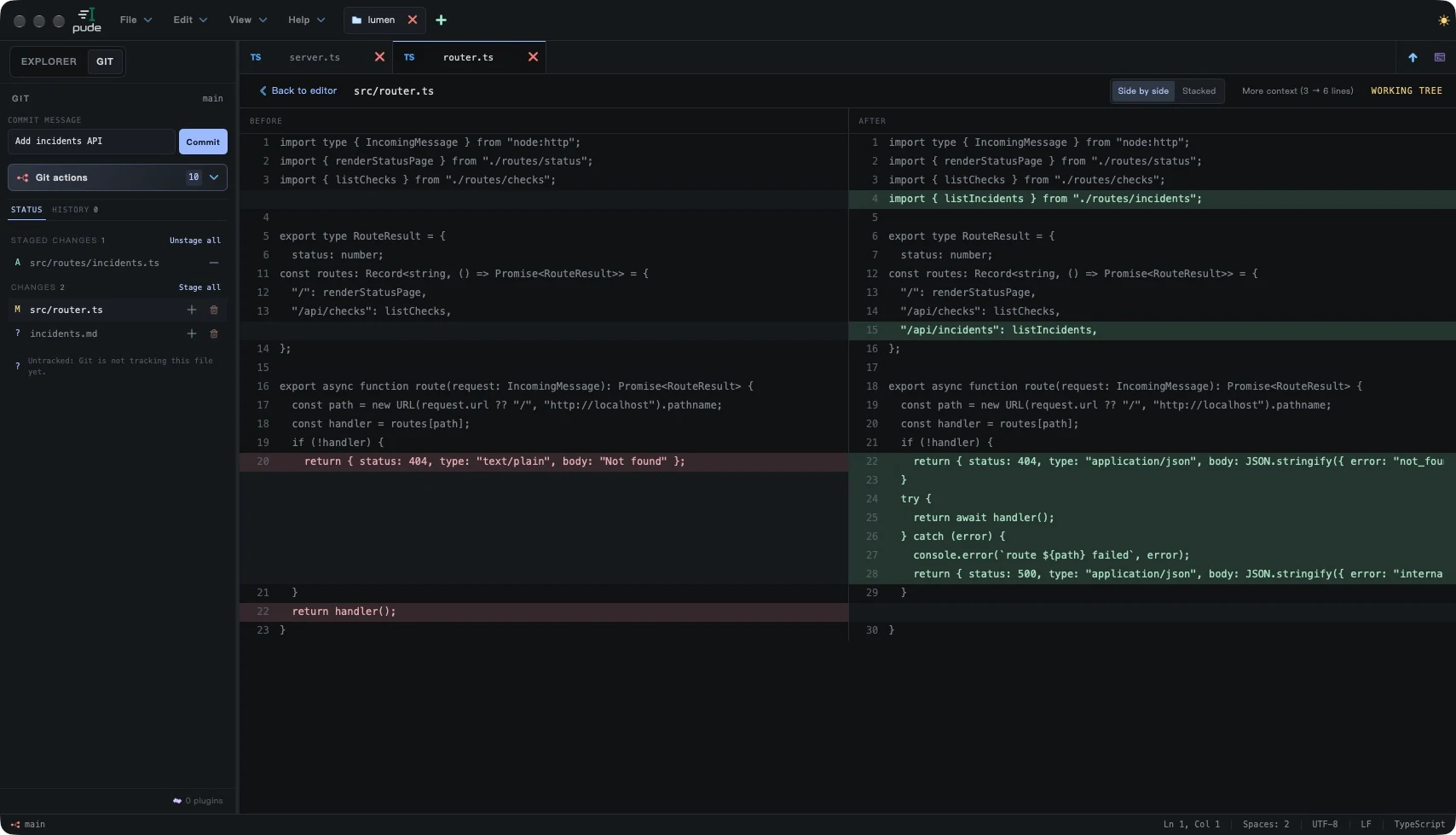
Open any change as a side-by-side or stacked diff. Large diffs stay smooth with windowed rendering.
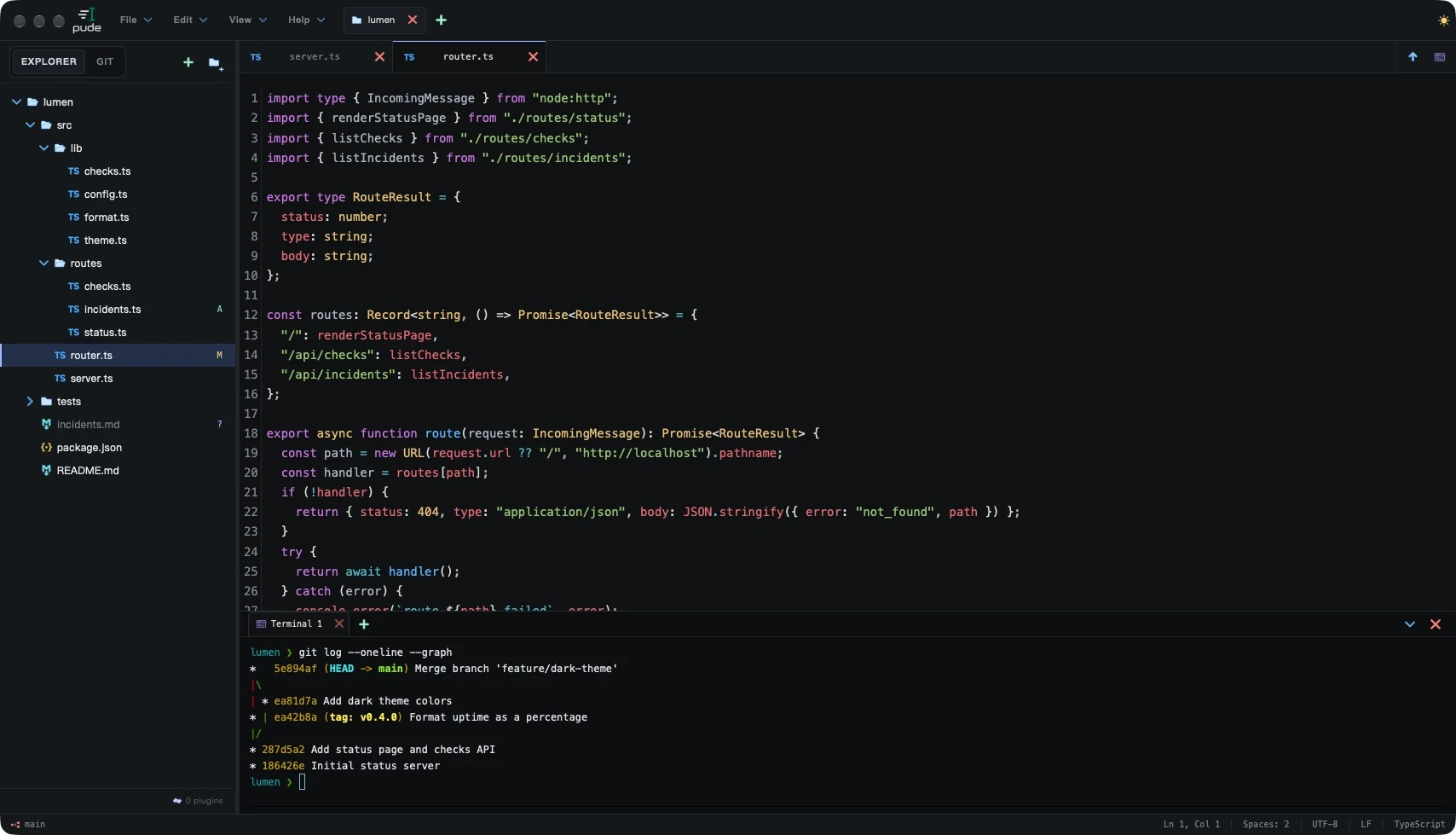
Add as many terminal tabs as you need. Each one starts its own PTY on first view and keeps running while the panel is hidden.
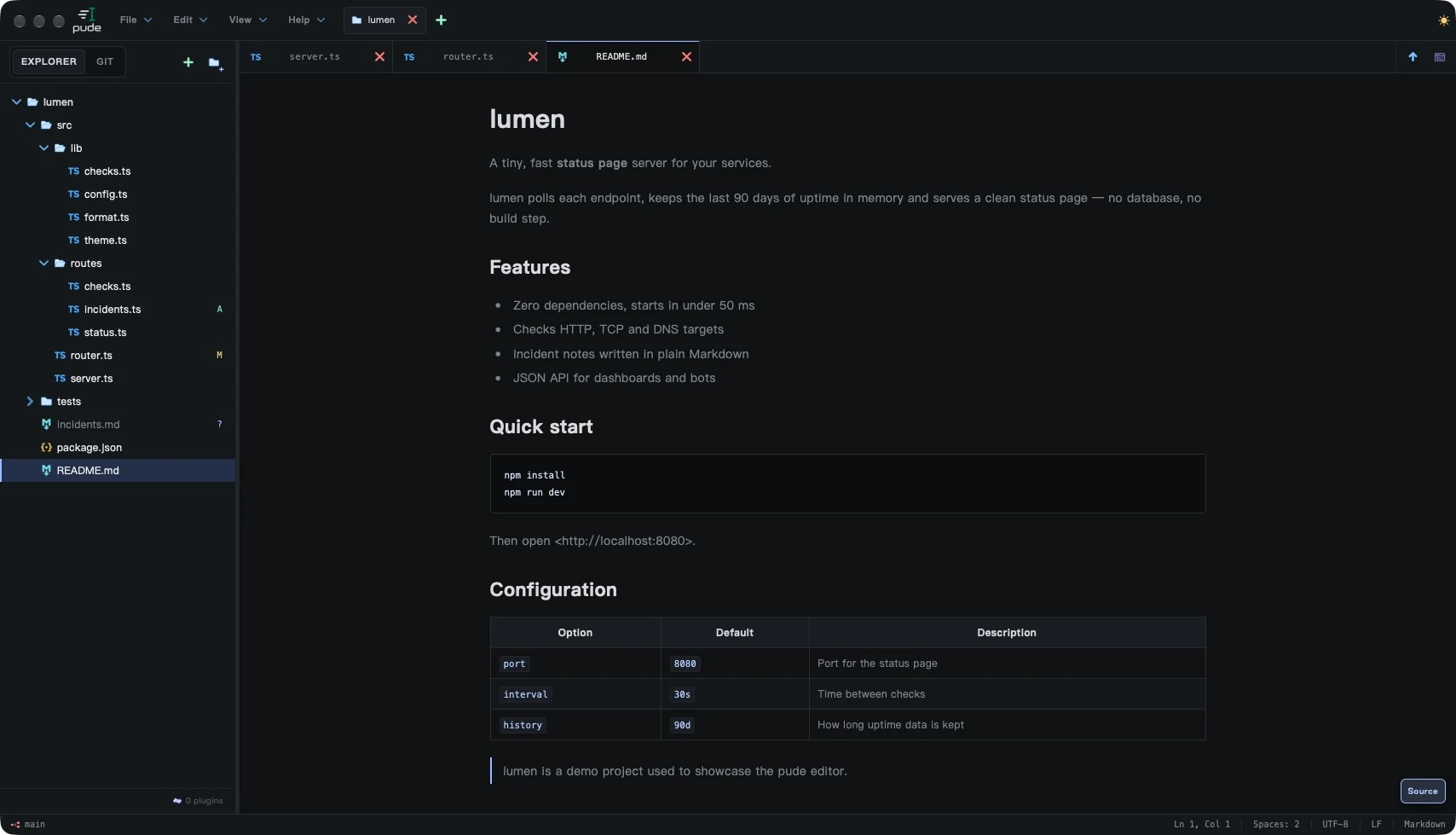
Toggle any Markdown file between source and preview from the status bar. The text itself never changes.
Each capability has to justify its permanent cost in CPU, memory and attention. These made the cut.
Opening a workspace reads only its top level. Folders load on expand; parsers and terminals load on first use.
list_dir("src/") · on expandNo account, no cloud sync. Files stay at their local paths; the network is used only by Git remotes, your terminal or plugins you approve.
~/projects/pude-demoBranches, staging, commit graph, stash and diffs — powered by the Git CLI you already have.
git status --porcelain=v2 -zMultiple tabs, each a real PTY started on first view. Closing a tab reclaims its whole process tree.
pty · 5,000 lines scrollbackAtomic writes, external-change prompts, recovery checkpoints and preserved LF/CRLF line endings. Unsaved work is never silently overwritten.
UTF-8 · LF / CRLF preservedPlugins run in sandboxed workers with scoped permissions you can review and revoke.
editor.read · git.read · networkA thin interface over a Rust core. Slow work happens off the UI thread, and nothing runs until you need it.
SolidJS · CodeMirror 6 · xterm.jsFine-grained updates and virtualized lists render only what is on screen.
Typed Tauri IPCWhole operations in one round trip — no per-row chatter.
Rust · filesystem · Git · watcher · PTY · plugins · LSPBounded queues and cancellation keep slow I/O away from typing.
Local folders · system Git · your shellFiles stay where they are. pude bundles no shell and no language server.
File and Git updates are debounced and merged. No polling loop keeps the screen fresh.
Queues, output buffers and caches have limits, so a noisy process can't drag the editor down.
Switching workspaces cancels stale work. Old results never overwrite new state.
pude draws a hard line around its core so it stays fast, quiet and maintainable for years.
A small, memorable set covers the whole daily flow. On Windows, use Ctrl in place of ⌘ — Replace is Ctrl H.
Free and open source under the MIT License.
Choose an installer for your computer. You can always select either platform below.
Version 0.1.1 · Published release
Windows 11 x64 (unsigned) · macOS 14+ Apple Silicon (signed and notarized). Linux is planned.